Intuit QuickBooks Online · content design
Making project profit visible
QuickBooks Online could tell a small business how the business was doing. It could not tell them whether any single job made money. This is how that capability went from zero to one, and why it is still in the product today.
Content Designer, QuickBooks Online SMB Core. In-product content for a new feature set, with research, visual design, and UX. Aug 2018 to Mar 2019.
Problem
Small businesses had no way to tell whether any single job made money. Project profitability was the second most requested feature on QuickBooks Online, with 5,740 requests over six years and 10,000 care calls a year.
Move
A profit picture per project, labor cost made visible through mobile time tracking tagged to a job, and an hourly cost-rate calculator covering wages, taxes, and overhead.
Outcome
Shipped as a net-new capability, presented on the Intuit Connect 2019 main stage, still part of QuickBooks Online Advanced today.
The context
Intuit targets a broad spectrum of business sizes and financial professionals with QuickBooks Online (QBO), focusing specifically on solopreneurs, small-to-medium businesses (SMBs), and accounting professionals.
I joined the SMB Core team as content designer, working alongside product management, UX design, and visual design. I was responsible for the UX copy across the features, aligned to established voice and tone guidelines and to messaging hierarchies I developed as the product took shape. Intuit was rolling out its first design system at the time, so every line was checked against an 8th-grade reading level or lower with Grammarly and Hemingway Editor.
The SMB Core team was focused on one question for project-based business owners. Were they actually making money on any given job? Revenue arrived and costs went out, with no view of which job earned and which quietly lost.
An early premise
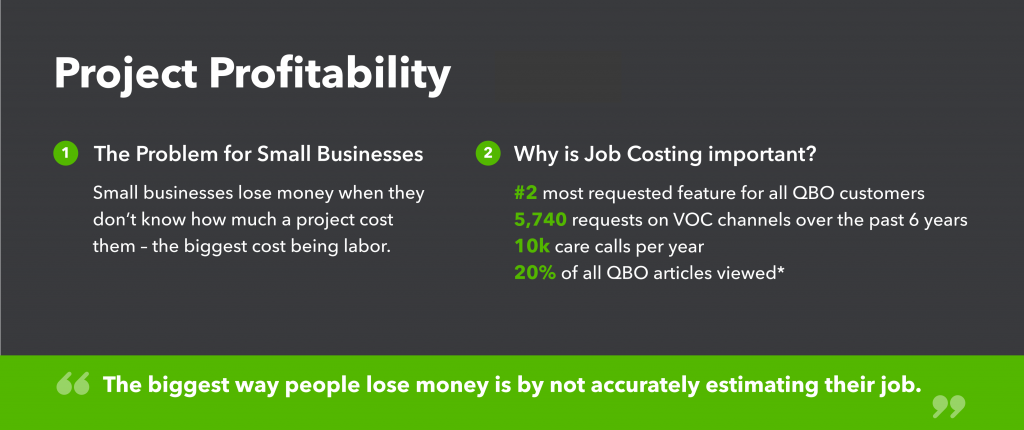
Two business problems sat behind the work and were restated in nearly every specification. One was attrition among new subscribers. The other was abandonment of projects once started. Someone who cannot tell whether the work is profitable has little reason to keep paying for the tool that will not tell them.
A high level view
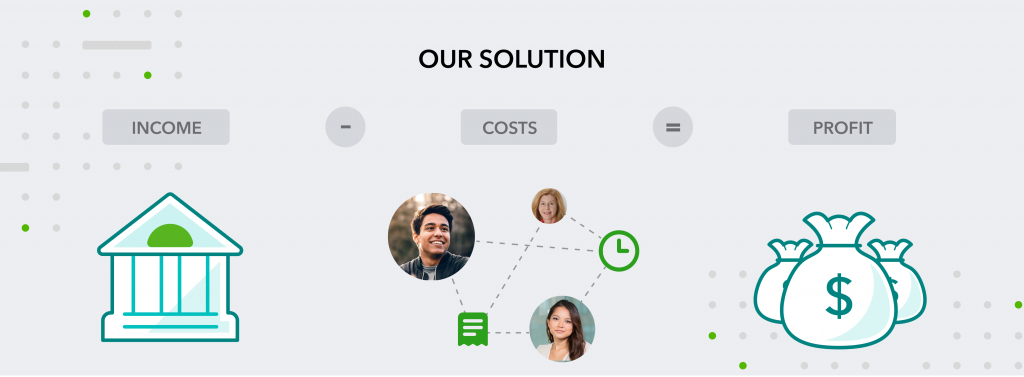
The accounting discipline that answers this already had a name. Job costing is the practice of assigning every cost, labor included, to the specific job that incurred it, and it is how contractors and agencies have always known which work was worth doing.
Act 1:A profit picture
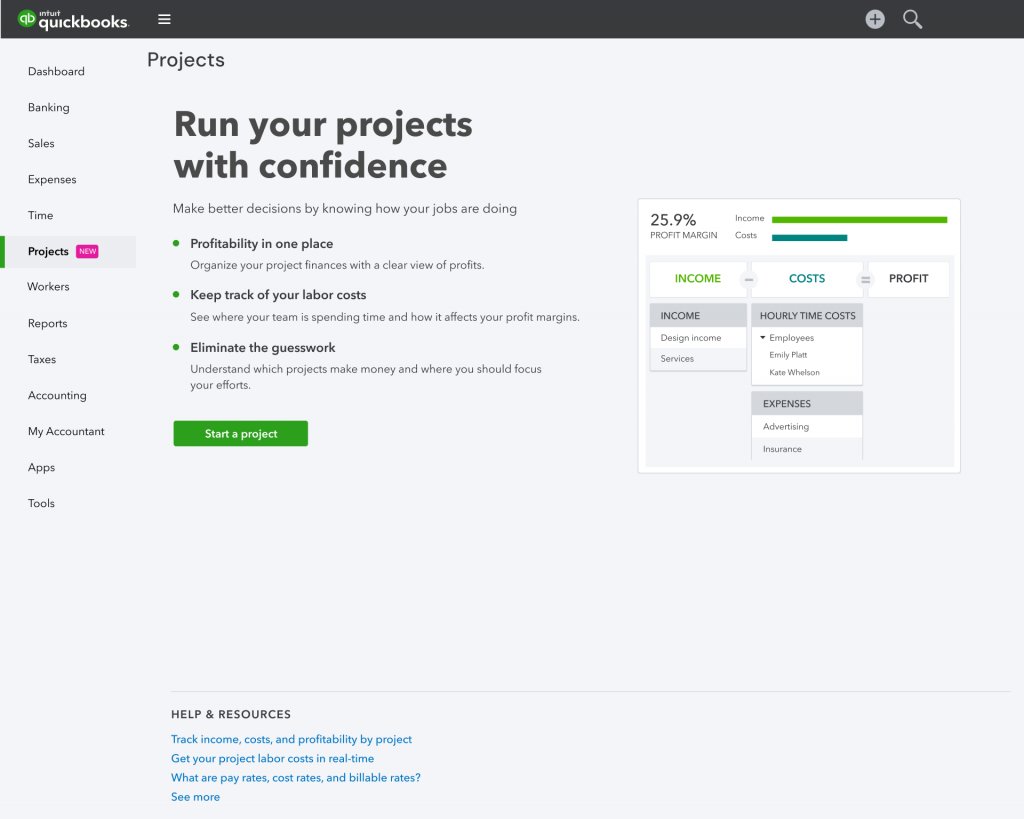
The obvious way to open a brand new feature is an empty container and an invitation to fill it. Instead, the first-time experience opened on a hero state that showed what a finished project would look like, then recommended the next thing worth doing.
The whole feature rested on one piece of arithmetic that every business owner already carries in their head. Income minus costs equals profit. We made that the literal structure of the overview screen, three columns in that order, so the concept needed no explaining.
Focus on job costing
An accountant reading the screen sees job costing and knows exactly what the product is doing. The owner of a small business does not need the term, because income minus costs is already how they think. The same layout had to serve both audiences.
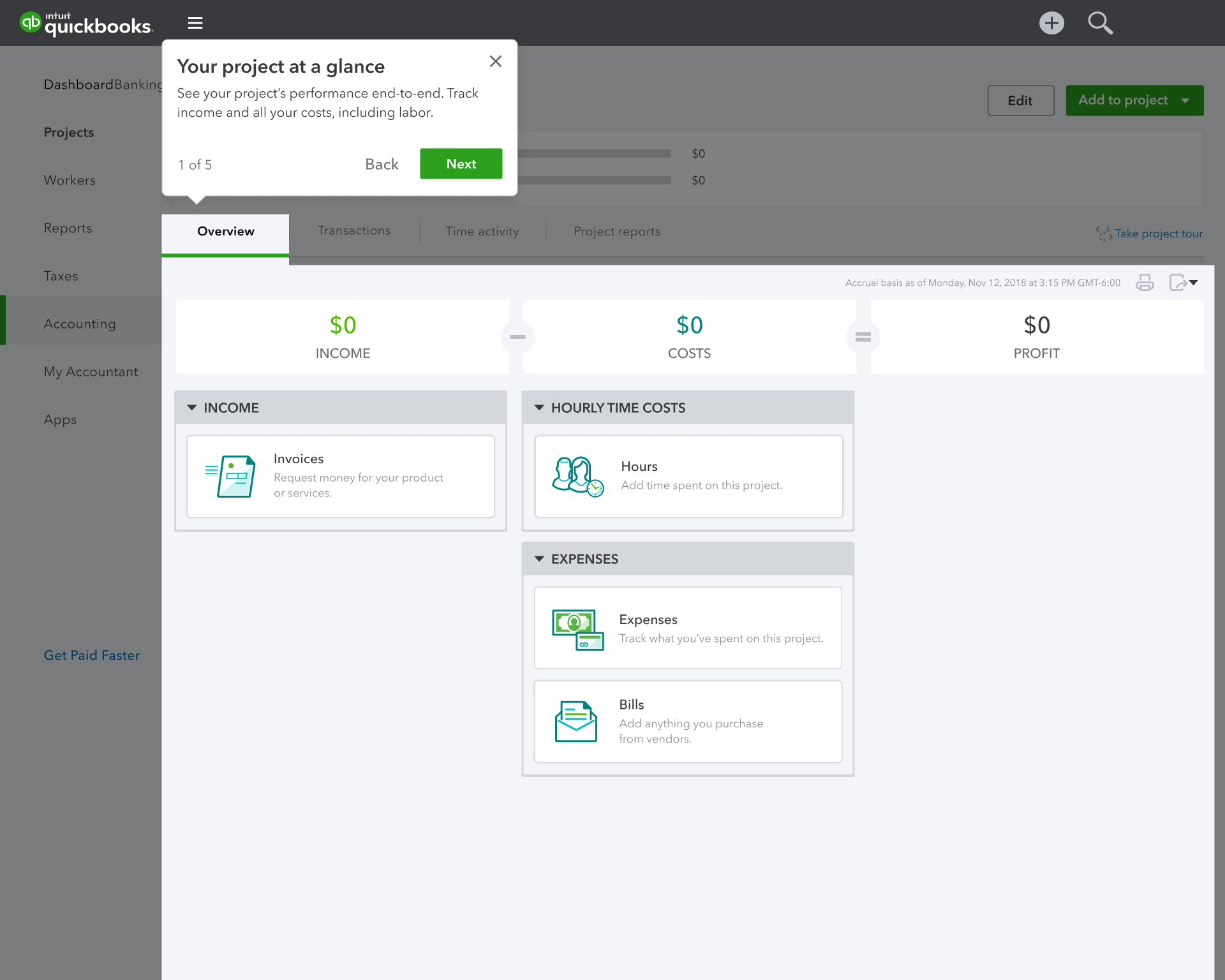
A guided tour introduced the detailed views behind that number. These were the transactions attached to a job, the time logged against it, and the reports that summarize both. Each stop had the same job to do, which was to make one more kind of activity feel trackable.
Act 2:Making labor visible
For most service businesses the single biggest expense is labor, whether that labor comes from employees, contractors, or vendors. It is also the expense least likely to be recorded accurately, because it is spent in hours on a site rather than in receipts in an inbox.
Qualitative research turned up the finding that shaped this part of the product. For most small business owners, the biggest revelation was the cost of their own time, which many had never priced at all.
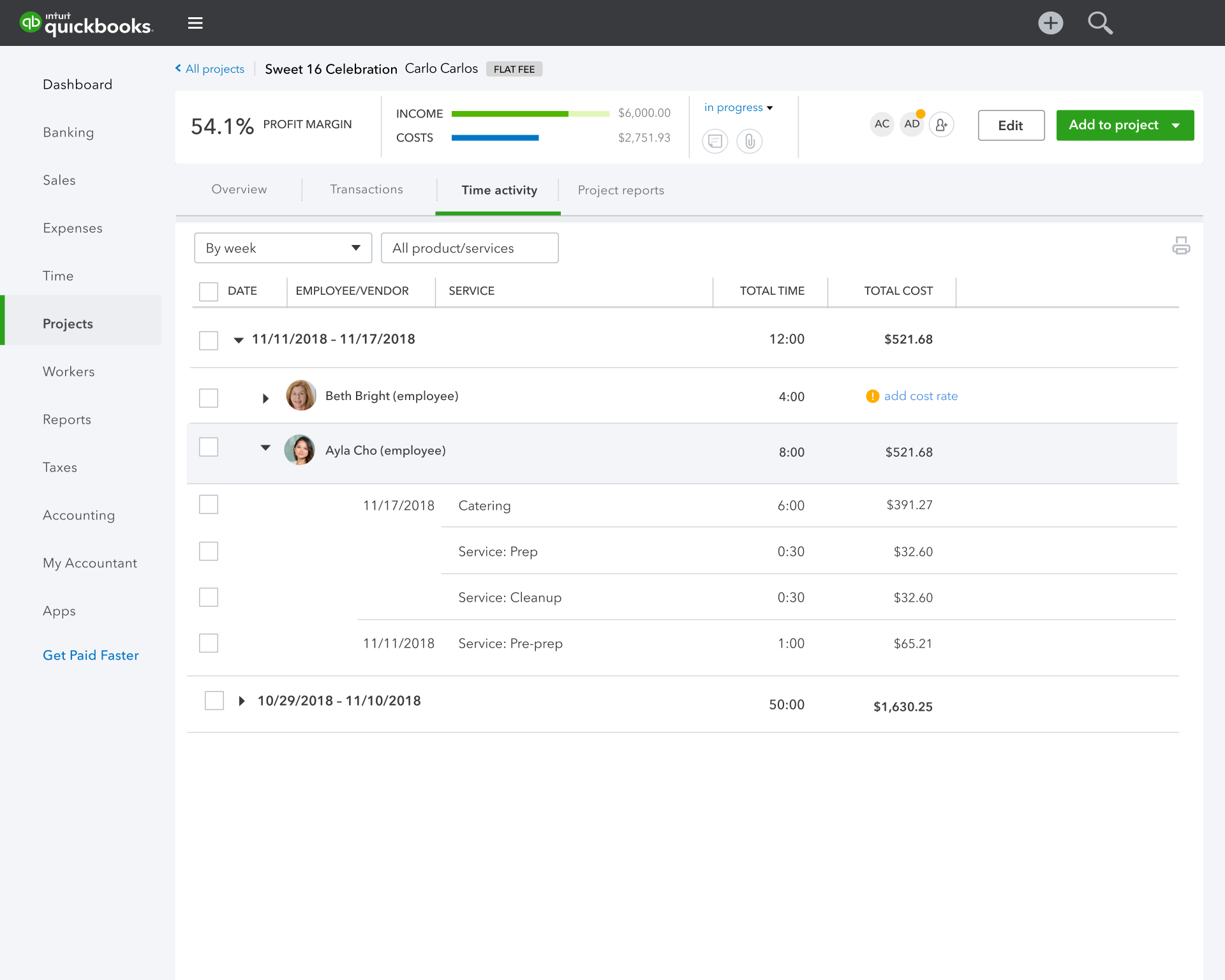
Capture labor costs where the work happens
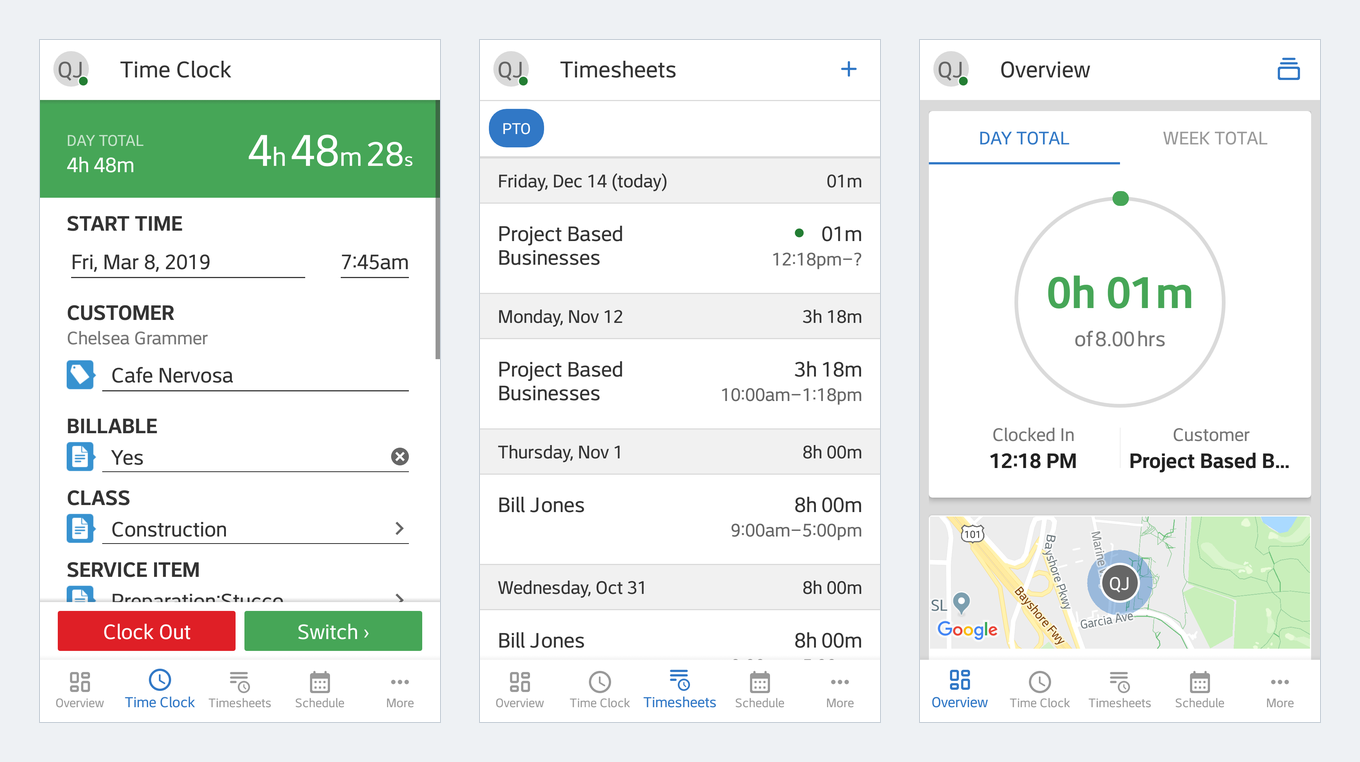
Labor cost is only as accurate as the time entry behind it, and nobody logs a day of framing or stucco work from a desk. Timesheet integration meant a worker could start a clock on a phone at the job site and tag that time to the customer, the class of work, and the specific service item. That tagging is what turns an hour into a cost the project can carry.
The mobile surface changed what the copy had to do. A clock running on a phone in someone’s pocket gets read in a glance between tasks, so labels had to carry the whole meaning without a supporting sentence. Billable, class, and service item are each a decision with an accounting consequence, and each one had to be legible to someone standing on a roof.
What an hour actually costs
Businesses that ran payroll had labor cost calculated for them, but it only landed on a project after payroll was run, and that sequencing mattered enough to say out loud. Businesses that did not run payroll had no mechanism at all, so we built an hourly cost rate calculator.
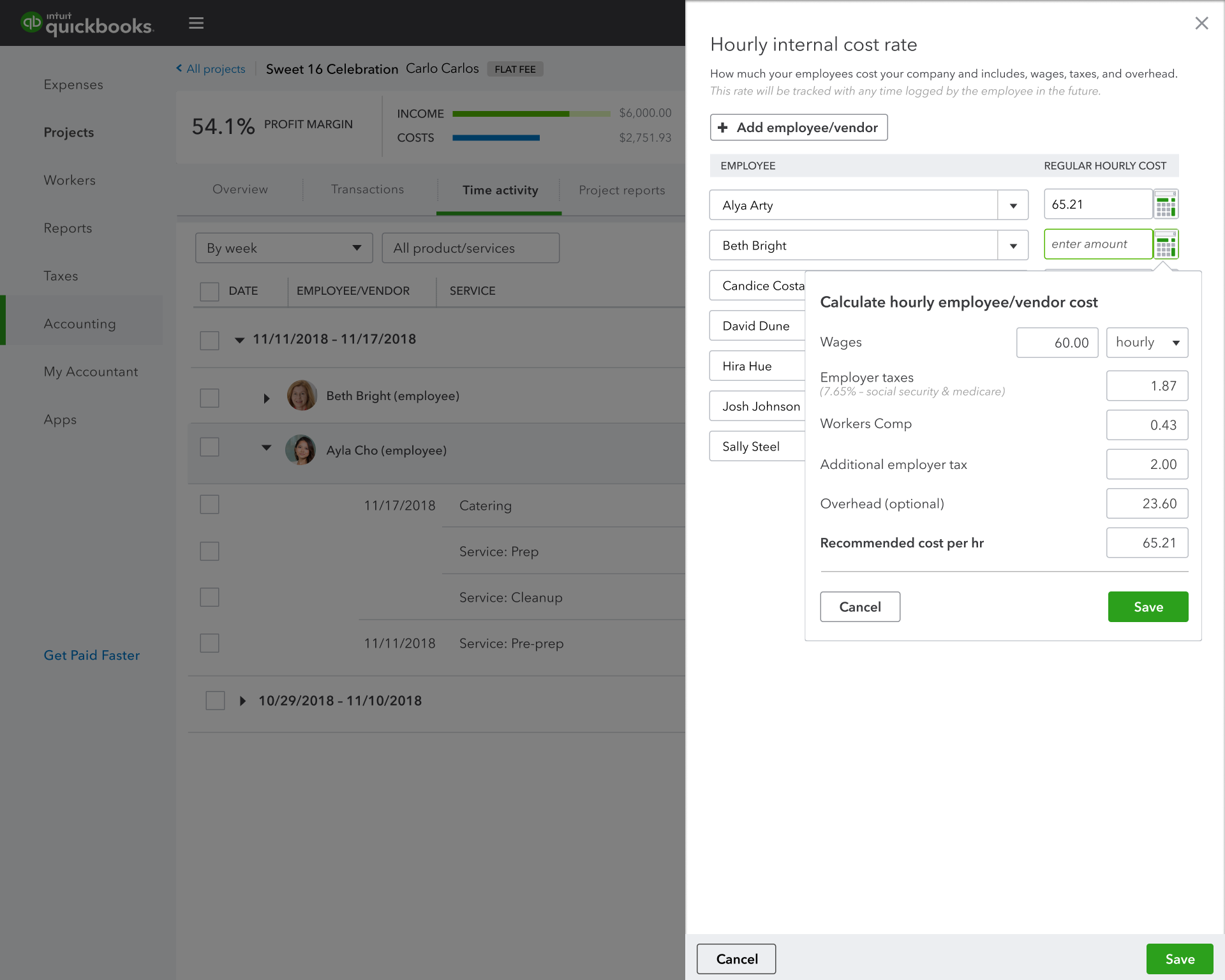
Wages entered into it could automatically calculate employer taxes. Everything else that makes a worker cost more than their wage had to be entered separately, including workers compensation and benefits contributions. The copy had to say so, rather than imply the number was complete.
The calculator did not travel well on its own. Employer taxes, statutory rates, and available payroll integrations differ by country. Global product management worked with local experts to determine what applied in each market, and versions followed for Canada and Australia after the United States.
Two paths, tested
After the first-time experience ended, a collapsible banner carried the recommended next step. What it recommended depended on who was reading it:
- Payroll users saw a workflow that put running payroll in the right sequence, with a link into the payroll module.
- Non-payroll users saw a workflow built around cost rates, because that was the gap in their setup.
For non-payroll users we could not agree on which door was better, so we prepared an A/B test rather than argue it. One version opened with entering cost rates. The other opened with entering transaction costs, including amounts paid to vendors and contractors hired to do the work, on the theory that recording a real expense is easier than estimating a rate.
Act 3:Product launch
Shipping a capability and having customers know it exists are different problems. New functionality was live, and very few existing users were aware anything had changed.
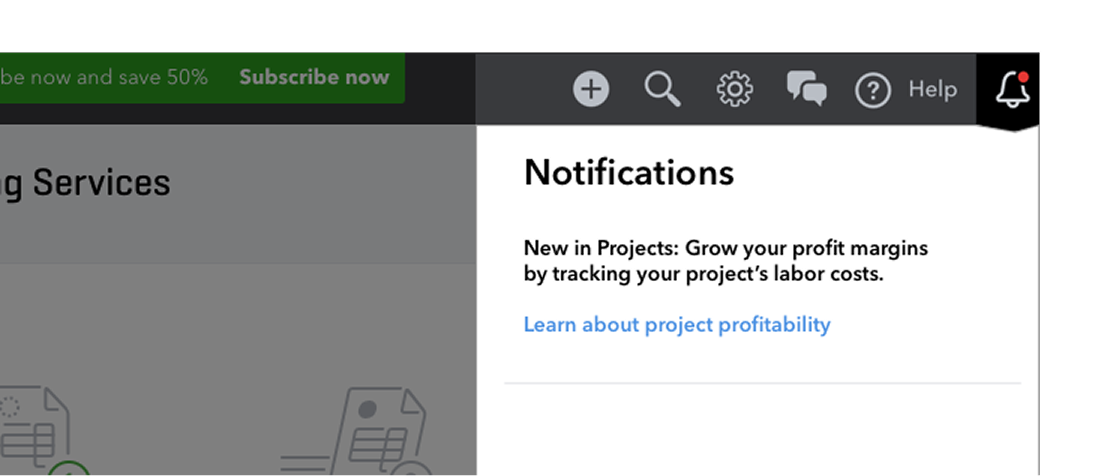
A new campaign manager was built for releasing and controlling in-product display notifications, and we used it for a controlled release targeted at customers who looked like project-based businesses. Rather than one announcement, the messages were written for the specific state a customer was already in:

- Customers unaware of the feature were introduced to project profitability.
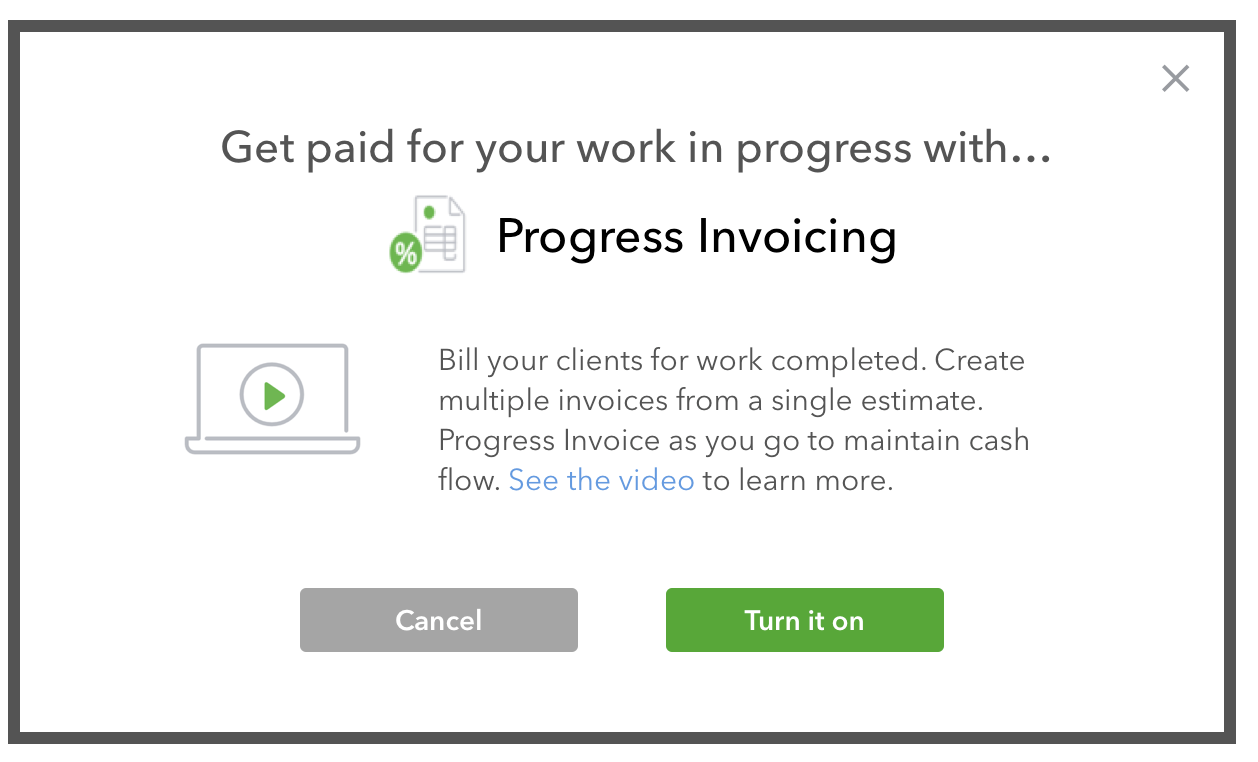
- Customers who already had progress invoicing available but switched off were shown what it does and given a link to turn it on.
- Customers who had projects on but had not imported transactions were shown the process, including how it could be automated once the system learned to recognize transaction types.
- Customers with progress invoices outstanding were linked straight to the prebuilt report that tracks them.
Bringing the workarounds across
Before projects existed in QBO, some customers had built the feature themselves. They created a sub-customer under a real customer, treated it as a job, and filed invoices and expenses beneath it. It worked well enough to prove demand and badly enough to prove the need.
PostScript
This was a zero to one launch. Project profitability did not exist in QuickBooks Online when the work started, and it was live by the time my contract ended. The team presented it as a main stage segment at Intuit Connect 2019, in front of accounting professionals who advise these businesses for a living.
The more durable measure is that it is still there. Project reports remain in the product today and are part of what Intuit sells QuickBooks Online Advanced on, years after launch and several tiers up from where it started.
A first release rarely survives that long unchanged, and it has not. What survived is the frame. Profit is income minus costs, labor is the cost that decides the answer, and time is captured where the work actually happens.
I worked at Intuit a second time, years later and on a different team, with a different problem to solve.